

Flying Toasters across four monitors, in 64 kilobytes
This deserve a post in English
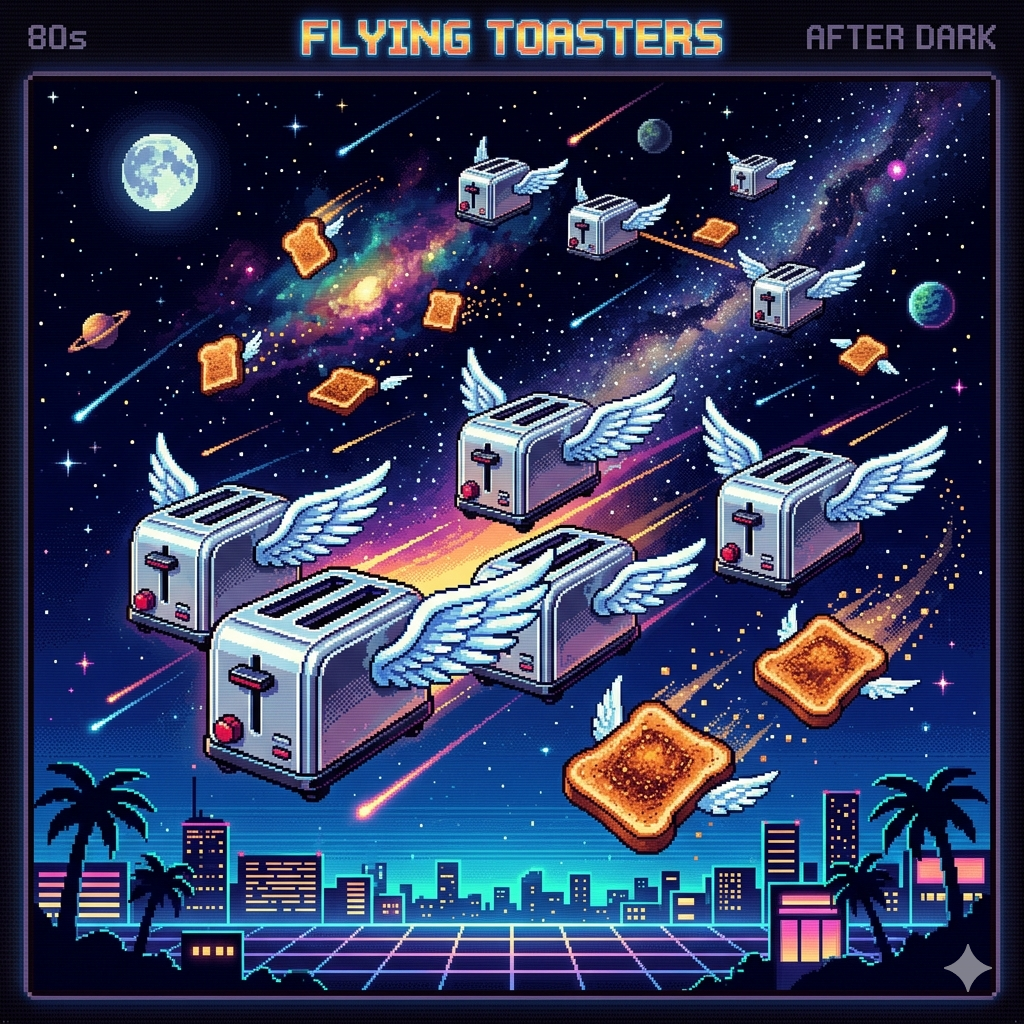
I have a soft spot for the After Dark "Flying Toasters" screensaver.
The original came out in 1989, the cultural peak was probably 1993,
and a community-rebuilt freeware version from 2017 has been quietly
sitting on my hard drives ever since I downloaded it from somebody's
personal blog years ago.
When I set up my new Windows 11 box this month I reinstalled it.
Booted, locked the screen, watched a tiny squadron of poultry-themed
kitchenware appear on my primary monitor — and only on my primary
monitor.
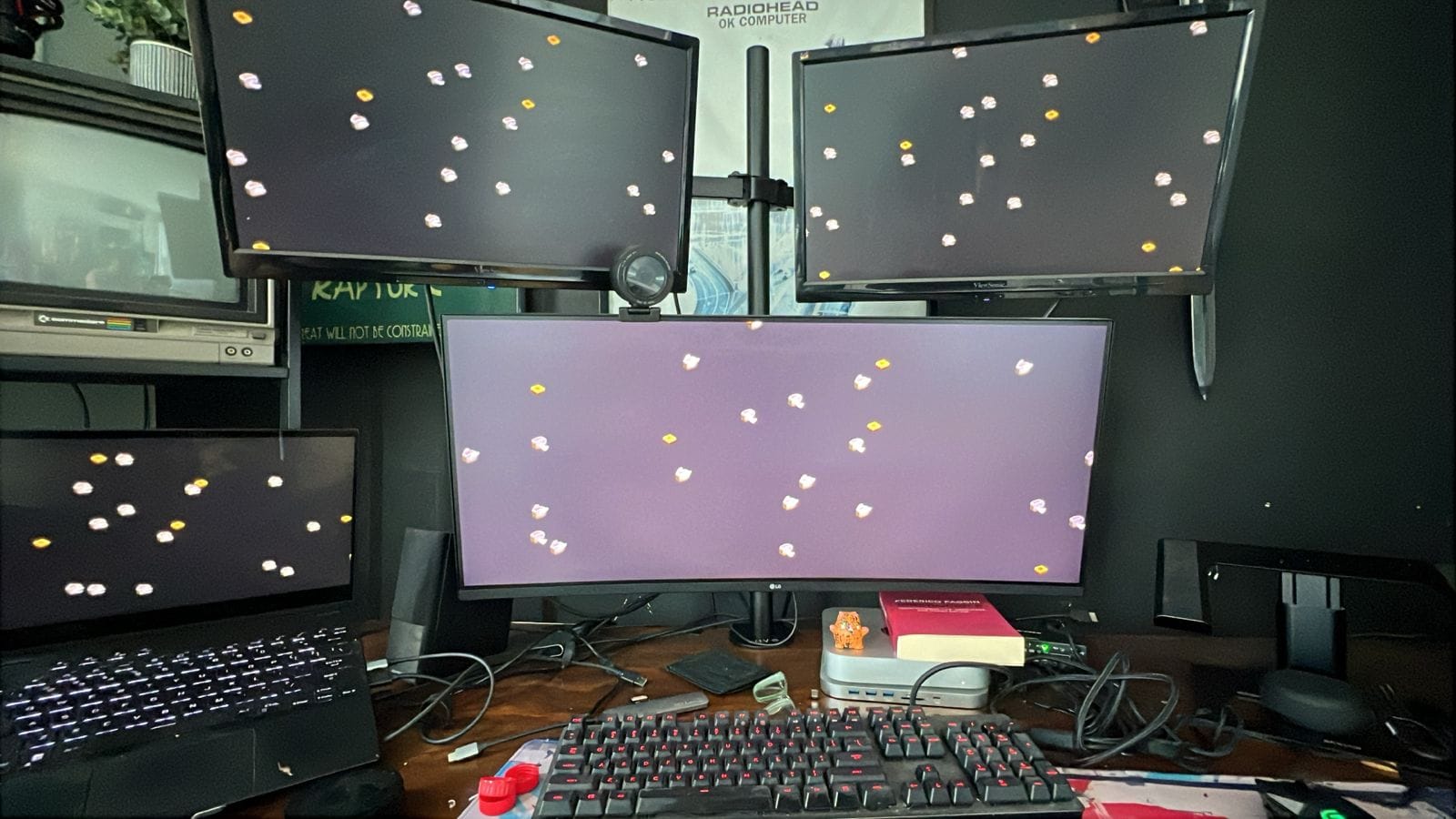
The other three displays sat there like uninvited bystanders.
This is the story of how I fixed that, why my first attempt at fixing
it weighed seventy-five megabytes, and how the second attempt is
sixty-four kilobytes.
The whole thing is on GitHub:
chaoticgeniu5/flying-toasters-2026-multimonitor.
What was actually wrong
My first instinct was that this was a Windows 11 quirk. Some
DPI-awareness regression, maybe a SysWOW64 file resolution thing.
That's the kind of bug I expect from a binary written for an OS that
shipped eight major versions ago.
It wasn't. I cracked open the .scr (which is just a renamed PE
executable — Windows doesn't care, anyone can ship one) and looked at
the imports table. What I expected to see was something likeEnumDisplayMonitors, GetMonitorInfo, maybe MonitorFromWindow.
What I actually saw was:
GetSystemMetrics
GetMonitorInfo
CreateWindowEx
... (no EnumDisplayMonitors anywhere)
The engine never asks Windows about the monitor topology. It callsGetSystemMetrics(SM_CXSCREEN/SM_CYSCREEN) — which gives you the
size of the primary monitor — and creates exactly one window that
size. As far as the program is concerned, the entire universe is the
primary display. There are no other monitors because nobody told it
they exist.
This isn't a Windows 11 problem. This is a 1990s assumption baked
into the source code. It would have shipped exactly the same way on
Windows 95.
So the "fix" wasn't going to be a one-line patch. It would mean
rewriting the engine's window-management code from inside the
compiled binary. Ghidra-time. That's a multi-day project even when
you have decent symbols (and I didn't), and it would still leave the
render loop assuming a single Direct3D 9 swap chain. The juice
wasn't worth the squeeze.
So I did the only thing left: I wrote a wrapper.
The wrapper
A Windows screensaver is just an .exe with a special command-line
contract. Windows invokes it with one of:
/s— run fullscreen/p HWND— render a small preview into the given window handle
(this is what the Settings dialog uses for its tiny preview pane)/c[:HWND]— show the configuration dialog
Most relevant: the engine already knows how to render into a
parent HWND because of the preview mode. If I create a fullscreen
window per monitor and tell the engine "render in this HWND," it
will. It just doesn't know that's what it's doing — it thinks it's
filling a settings preview pane.
The wrapper, then:
- Calls
EnumDisplayMonitorsto find every display. - Creates a borderless
WS_POPUPhost window on each one, sized to
that monitor's bounds, topmost, no taskbar entry. - Spawns a copy of the original engine in
/p HWNDmode for each
host window. - Installs system-wide
WH_MOUSE_LLandWH_KEYBOARD_LLhooks so
any input — anywhere on any display — kills every spawned engine
and tears down every host.
The whole thing is about 400 lines of C.
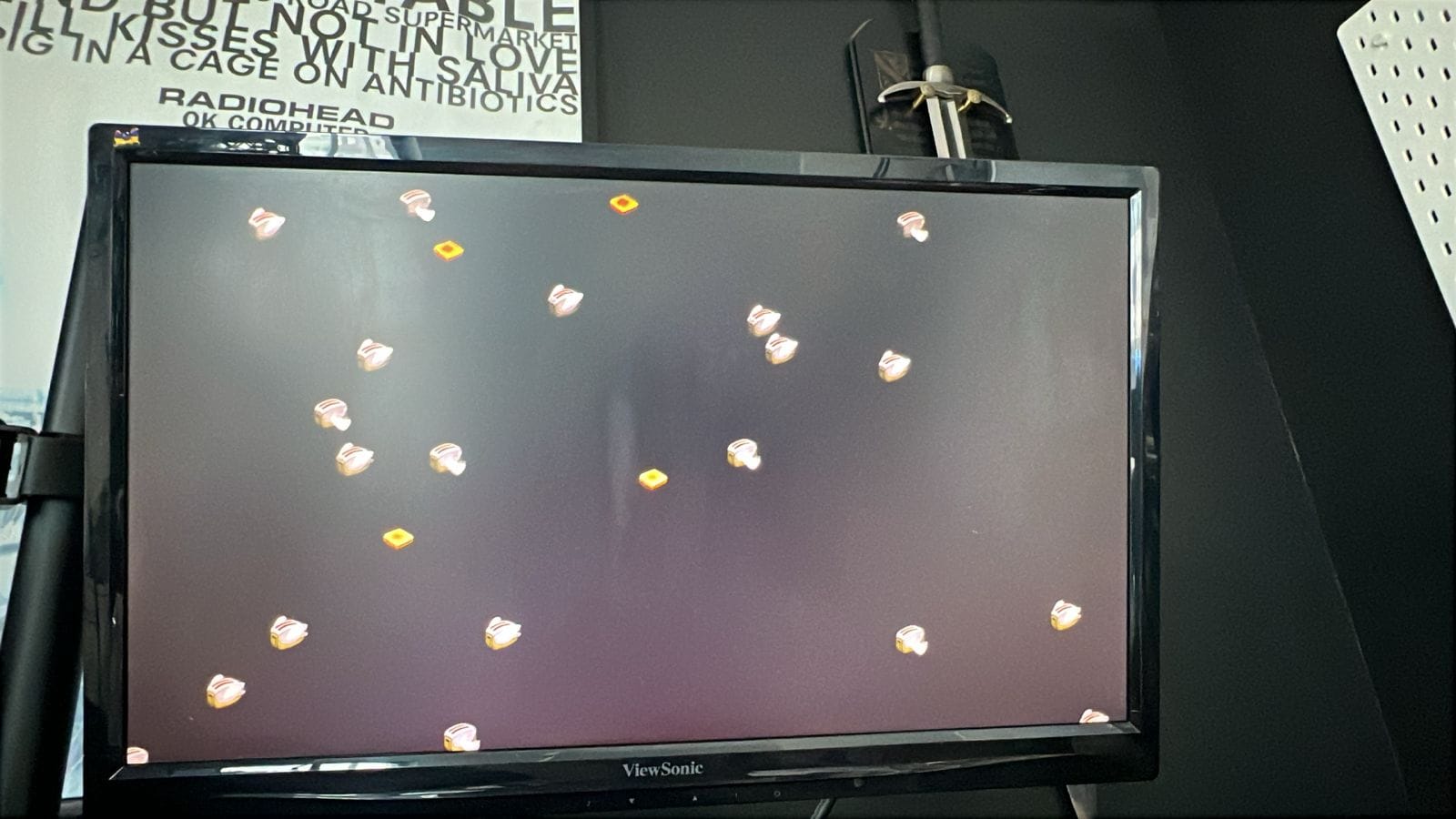
That's all four of my displays running independent toaster swarms.
The widescreen panel in the middle, the two stacked above it, and
the laptop on the left — each spawning its own engine process,
each rendering into a window the wrapper made.
Detour: my embarrassing first attempt
I wrote the first version in C# / .NET 8 with WinForms. Why? Because
it was the path of least resistance. I had the .NET 8 SDK already
installed, the Win32 interop is well-trodden in C#, andSystem.Windows.Forms.Screen.AllScreens gives you a clean monitor
list with one line.
I wrote it, compiled it, set PublishSingleFile=true,SelfContained=true, PublishReadyToRun=true,EnableCompressionInSingleFile=true, all the modern .NET
single-file knobs, and got an executable.
It was 75 megabytes.
Seventy-five megabytes for a program whose entire job is to callEnumDisplayMonitors, CreateWindowEx, and CreateProcess in a
loop. Most of that 75 MB is the .NET runtime itself, dragged along
because self-contained means self-contained. Compressed, ReadyToRun,
trimmed where possible — still 75 MB.
For a screensaver. From 1995. To run on top of an engine that's 2.5 MB.
It worked perfectly. It was also offensively wasteful. Shipping it on
a blog with a "Download (75 MB)" link would feel like exactly the
kind of thing I make fun of other people for. So I rewrote it.
The C version
Same code, different language. The Windows API is the same Windows
API. EnumDisplayMonitors, CreateWindowExW, CreateProcessW,SetWindowsHookExW, WaitForSingleObject, TerminateProcess. There
isn't a single thing I needed C# for.
static BOOL CALLBACK EnumMonitorsProc(HMONITOR hMon, HDC hdc,
                                      LPRECT lprcMon, LPARAM lParam)
{
    MONITORINFO mi = { sizeof(mi) };
    if (!GetMonitorInfoW(hMon, &mi)) return TRUE;

    HWND h = CreateWindowExW(
        WS_EX_TOOLWINDOW | WS_EX_TOPMOST | WS_EX_NOACTIVATE,
        WND_CLASS_NAME, APP_TITLE,
        WS_POPUP | WS_VISIBLE,
        mi.rcMonitor.left, mi.rcMonitor.top,
        mi.rcMonitor.right  - mi.rcMonitor.left,
        mi.rcMonitor.bottom - mi.rcMonitor.top,
        NULL, NULL, GetModuleHandleW(NULL), NULL);

    if (h) g_hosts[g_hostCount++] = h;
    return TRUE;
}
That's the entire monitor-discovery-and-hosting block. Five lines of
business logic in a callback, no framework needed.
I used Zig as the toolchain because it ships
clang plus a complete mingw-w64 in a single 80 MB download with no
system install. winget install zig.zig and you're compiling
Windows binaries. The build is one command:
zig cc src/wrapper.c src/wrapper.rc -o flyingtoasters2026.scr `
  -Oz -target x86_64-windows-gnu -municode `
  -Wl,--subsystem,windows -Wl,--gc-sections -Wl,-s `
  -ffunction-sections -fdata-sections `
  -fno-unwind-tables -fno-asynchronous-unwind-tables -fno-stack-protector `
  -lkernel32 -luser32 -lshell32 -lgdi32 -ladvapi32
-Oz is "optimize for size" (more aggressive than -Os). The flag
soup turns off C++ exception tables, stack canaries, and dead-code
sections. The result:
| Build | Size |
|---|---|
| .NET 8 self-contained, single-file, ReadyToRun, compressed | 75,542,499 B |
C / Zig -Oz |
64,000 B |
That's a 1180× reduction. Same behavior, same multi-monitor
support, faster startup (no native-library extraction step on first
run), and zero runtime dependencies. The full installer for the
wrapper plus the bundled engine plus the source code plus the README
is 3.4 MB.
Things I deliberately didn't do
A wrapper like this is the kind of project that begs for scope creep.
I had to keep telling myself no.
- No engine patching. The engine binary stays untouched. If the
original author ships an update, I drop the new file in and
rename it. Done. - No DirectX hooking. The engine's render path is the engine's
problem. The wrapper just owns windows and processes. - No Settings UI extension. The engine has its own configuration
dialog. I just forward the/cinvocation to it. The wrapper has
no preferences of its own. - No service / scheduled task / autostart shenanigans. It's a
screensaver. Windows handles invocation. Stay in your lane.
The whole point of the project was "make the toasters fly on every
monitor without doing anything else stupid." I think the 64 KB
figure is partly because of that discipline.
Get it / fork it / break it
The repo is here:
chaoticgeniu5/flying-toasters-2026-multimonitor
Direct downloads from the v1.0.0 release:
Setup.exe(3.4 MB) — Inno Setup installer, registers the screensaver in Settings.Portable.zip(1.6 MB) — same files plus a PowerShell installer for those who prefer to see what's being copied where.SHA256SUMS.txt— verify your downloads.
The wrapper is MIT-licensed. The engine is a community freeware
reconstruction with no commercial intent — full credits and the
"please contact me if I should yank this" note are in
CREDITS.md.
Pull requests welcome, especially:
- An MSVC build script (right now only Zig is wired up)
- A "Plan B" mode where the engine runs on the primary and the other
monitors get blackout windows (lower GPU usage, sometimes preferable) - An ARM64 target
If you've installed it and the toasters now fly across your whole
desk, let me know. That's pretty much the entire point.
Discusión de miembros